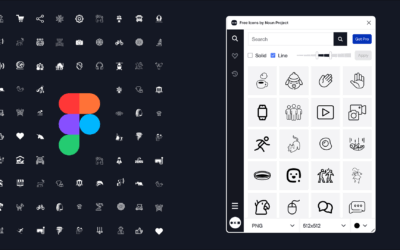

Big news — Your users now have two easy ways to find icons that match by style and subject with Noun Project’s Icons API.
As part of our Icon API v2, we’ve introduced a new endpoint that makes it easy to build visually consistent icon experiences directly into your product.
Whether your users need icons with a consistent theme and style for a slide deck, or want to search for a new keyword in the same style as an existing icons set, these two new features bring more creative power to their fingertips. You can also build consistent icon sets automatically within your application by leveraging these features.
Table of Contents
Show Similar Icons
Your customers can instantly use one icon to browse other icons with the same visual style and subject. This allows your product to retrieve icons that match the style and subject matter of a reference icon as a starting point.

Search For Icons With a Similar Style
If your users find an icon they like, they can also browse other icons in that same style by searching a different keyword. Your product can retrieve icons that match the style of a reference icon, but with a new subject defined by your user.

How It Works
Getting started is simple. Provide an icon ID, and optionally a search query, to retrieve similar icons.
Match Subject + Style
If a user likes a specific icon and wants to see more like it:
GET https://api.thenounproject.com/v2/icon/85/more-like-thisThis returns icons that match both the subject and style of icon 85.
Match Style + Custom Subject
If a user wants a different subject in the same style:
GET https://api.thenounproject.com/v2/icon/85/more-like-this?query=fish
This returns icons that match the style of icon 85, but with the subject “fish.”
Additional Options
Like other endpoints in API v2, this endpoint supports the combination of a variety of filters and customization options that already exist.
You can use this endpoint while also:
- Specifying PNG thumbnail sizes (42, 84, 200)
- Enabling or disabling your custom blacklist
- Including SVG files (not returned by default)
- Controlling pagination (limit results and page through them)
Example with Options
GET https://api.thenounproject.com/v2/icon/85/more-like-this?limit=4&thumbnail_size=200&blacklist=1
This request returns a limited set of icons with larger thumbnails and blacklist filtering applied.
Use Cases & Implementation
This endpoint is designed to be flexible and easy to integrate into a variety of workflows.
Some common use cases include:
- Design tools: Suggest stylistically consistent icons as users build layouts
- Content editors: Recommend icons that match existing visuals
- Templates & generators: Automatically assemble cohesive icon sets
- Search experiences: Enhance discovery by pivoting from a single icon
To implement:
- Capture or store an icon ID from your existing API usage
- Call the
/more-like-thisendpoint with that ID - Optionally pass a
queryparameter to refine results - Render the returned icons in your UI
👉 For full implementation details, parameters, and response structure, visit the documentation.
Test It Now in the API Explorer
You can quickly test this feature using the API Explorer.
- Open the Explorer
- Navigate to the “More Like This Icon” endpoint
- Enter an icon ID (for example,
85) - Optionally add a query (like
fish) - Adjust filters such as
limitorthumbnail_size - Run the request to preview results instantly
This is the fastest way to experiment with different combinations and see how the endpoint behaves before implementing it in your app.
Ready to Get Started?
The new endpoint is available now as part of the Icons API v2.
Important: If you haven’t already upgraded, you’ll need to migrate to v2 to use this feature.
By combining style matching with flexible search, this endpoint helps you deliver more intuitive, visually consistent experiences to your users—without additional manual work.
If you have any questions, feel free to reach out to us at info@thenounproject.com