

Finding one good icon is easy. Finding six icons that cover exactly what your project needs and still look like they were designed together can be much harder.
An AI icon set generator can help fill those gaps, but only if it gives every new icon a stable visual foundation. General-purpose image generators often begin with a blank text prompt. Even when you repeat the same style description, small differences in line weight, proportions, perspective, color, and detail can make the results feel unrelated and inconsistent.
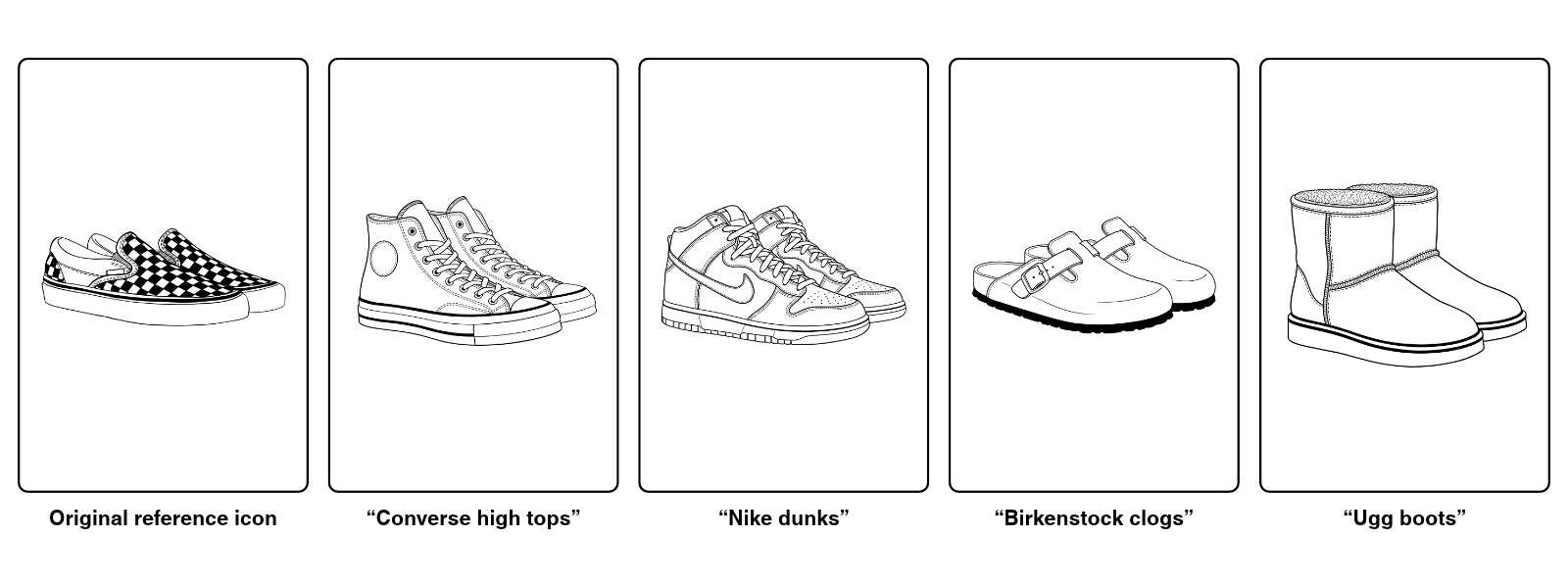
Noun Studio takes a different approach. Every edit and generation begins with a human-created Noun Project icon that acts as the visual reference. Instead of asking AI to invent a style from scratch (or using a generic image generation model to approximate similarities), you start with a design you already like and use text prompts to create new subjects in that precise visual language.
If you’re here, you’re probably wondering:
- What’s the best AI icon set generator?
- How do I make matching icons with AI?
- Do I need design software or can I use AI to design matching icon sets?
This guide explains how to create a matching icon set with AI, what makes icon sets feel cohesive, and how to avoid the inconsistencies that make generated icons difficult to use together.

Quick Answer: How Do You Create a Matching Icon Set With AI? And What is the Best AI Icon Set Generator?
To create a matching icon set with AI, choose one strong icon as your style reference and use it as the foundation for every new generation in Noun Studio. Keep each prompt focused on the subject or composition you need rather than repeatedly describing the visual style. Generate one icon at a time, review each result against the reference, and refine only the details that need to change.

Noun Studio is designed around this reference-led process. It allows you to preserve characteristics such as line weight, proportions, visual tone, color, and overall character while you generate new icons for the same project.
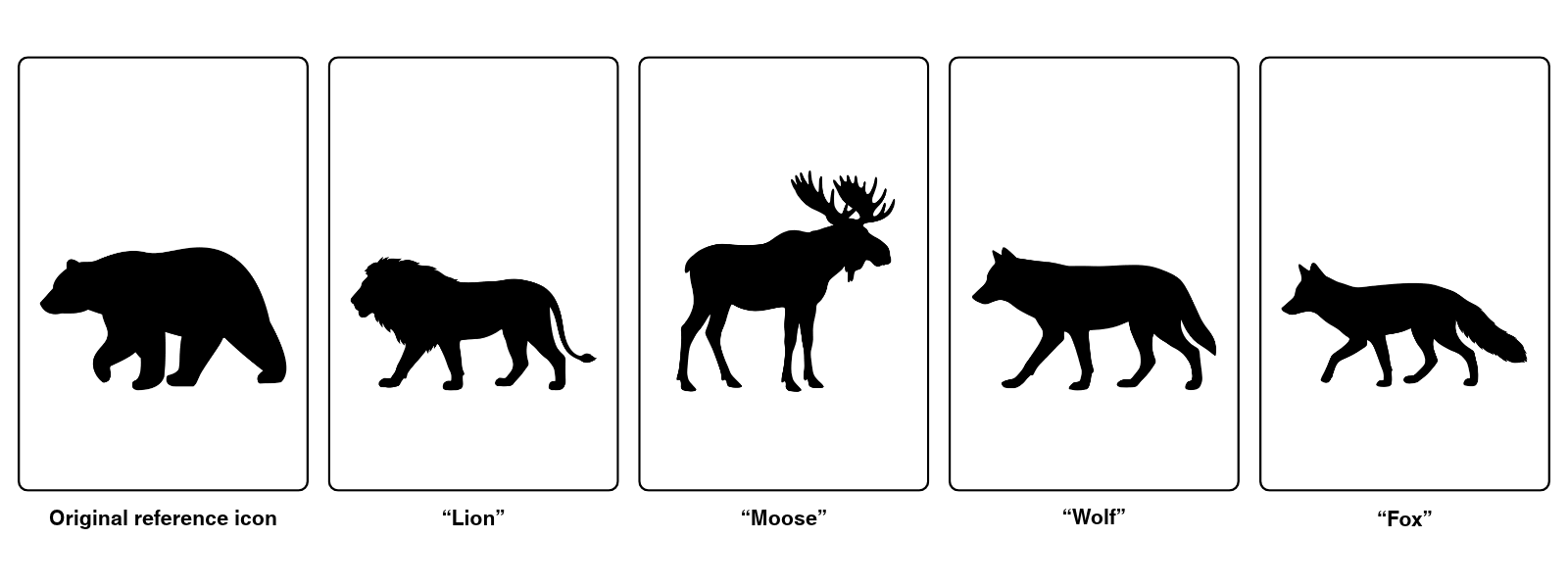
Table of Contents
What Makes an Icon Set Look Consistent?
Icons do not need to be identical, but they do need to follow the same visual rules. A cohesive set usually shares the following characteristics:
- Line weight: Outlines should have a similar thickness and level of variation.
- Visual style: Solid, line, hand-drawn, geometric, flat, or dimensional treatments should not shift unexpectedly.
- Proportions: Subjects should use a similar scale, body structure, and relationship between large and small details.
- Perspective: Icons should appear from compatible viewpoints rather than mixing front-facing, side, and isometric perspectives without purpose.
- Corner treatment: Rounded and sharp forms should be handled consistently.
- Color: Palettes, fills, outlines, and levels of contrast should follow the same system.
- Detail: One icon should not be highly intricate while the others are reduced to a few basic shapes.
- Composition: Subjects should occupy a similar amount of space and feel balanced inside the same frame.
- Visual tone: Playful, technical, formal, friendly, and expressive icons each make different design choices.
These details are why collecting individually attractive icons does not always produce a usable set. The icons may all represent the right subjects while still looking as though they came from six different products.
Why General AI Tools Struggle to Generate Matching Icons
Text is good at describing a subject. It is less precise at describing an entire design system.
Terms such as “minimal,” “friendly,” “modern,” and “hand-drawn” leave substantial room for interpretation. A general image generator may follow the same written instructions differently every time. One icon may have thin outlines and realistic proportions, while the next has thick lines, oversized features, or extra shading.
This becomes more noticeable as a set grows. Small inconsistencies that seem harmless in two images can make eight or ten icons feel visibly disconnected.
If you are still deciding which tool to use, see our hands-on comparison of the best AI icon generators.
A reference-led AI icon set generator reduces that ambiguity. The reference icon shows the tool how the style actually works instead of requiring the user to reconstruct it in words. This makes it easier to produce consistent AI icons across different subjects and compositions.
How an AI Icon Set Generator Uses a Reference Icon
A reference icon gives the generation process a concrete set of visual decisions to follow. It can establish:
- How thick the lines should be
- Whether shapes are rounded or angular
- How people, animals, or objects are proportioned
- How much detail belongs in each subject
- Whether color is flat, limited, or absent
- How tightly the subject fills the canvas
- What gives the design its distinctive personality
Noun Studio starts each Group with a participating, human-created icon from Noun Project’s collection. Every new icon in that Group stays connected to the same reference style. This is what allows the product to generate matching icons without forcing the user to repeat a long list of visual instructions in every prompt.
The reference also preserves something more difficult to describe: human judgment. A designer has already decided which details matter, which ones can be removed, and how the subject should communicate at icon size. Those choices become part of the foundation for the new set.
How to Create a Matching Icon Set With AI in Noun Studio
1. Define the subjects your project needs
Before generating anything, make a short list of the concepts the set must cover.
For example, a project-management dashboard might need icons for:
- Tasks
- Calendar
- Team communication
- File sharing
- Time tracking
- Reporting
Defining the set first helps you choose a reference icon that can support the entire family. It also prevents the visual direction from changing halfway through the process (which is especially important if working with a client).
2. Choose one strong human-created reference icon
Browse Noun Project’s icon collection and find an icon with the style you want to carry across the set. Almost every icon can be used as a starting point in Noun Studio.
Our guide to choosing a strong style reference can help you identify one that will work well.
Tip: Use the line weight filter and the search by similar icon features to get the perfect reference icon quickly.

Look beyond the subject itself. Pay attention to:
- Line or solid treatment
- Stroke thickness
- Level of detail
- Proportions
- Perspective
- Corner shape
- Use of color
- Overall personality
The best reference may not depict the most important subject in your final set. Its job is to establish the visual language.
Noun Project’s filters can help narrow the search by solid or line style and, for line icons, by line weight. You can also browse an existing icon set or a creator’s portfolio to find a coherent starting point.
3. Start a Group in Noun Studio
Open the icon’s detail page and select Edit & Generate in Noun Studio. The reference icon will become the starting point for a new Session.
Continue creating related icons within that Session group. For each new icon, select the original starting icon before entering a new prompt. Keeping the work together helps the AI icon set generator maintain the same visual foundation across the project and allows you to easily view your icon set as you build it. Selecting the original icon each time you enter a new prompt ensures you have the same starting point for your new icons rather than playing a game of telephone with each successive generation.
4. Prompt for the subject, not the entire style
Once the reference is established, focus your prompt on what the next icon should depict.
Good prompts include:
- “Make a calendar with a checkmark.”
- “Two people having a video call.”
- “Make a folder being shared between two computers.”
- “Create an analytics dashboard with three bar charts.”
You generally do not need to repeat instructions such as “use the same line weight” or “match the style.” The reference already provides that information. See our Noun Studio prompt best practices for more examples.
This is one of the main advantages of using a consistent icon generator. You can concentrate on the new concept while the reference guides the appearance.
5. Make one or two changes at a time
If the first result is close but not quite right, use a focused follow-up prompt.
For example:
- “Make the checkmark larger.”
- “Remove the small circle.”
- “Simplify the chart details.”
- “Move the folder between the two computers.”
- “Make the corners more rounded.”
Combining many changes into one prompt gives the system more opportunities to reinterpret parts of the icon that already work. This will result in increasingly inconsistent results. Smaller requests make revisions easier to evaluate and help preserve consistent AI icons throughout the set.
6. Compare every result as part of the set
Do not only evaluate each icon in isolation. By viewing the results next to one another in the session, you can verify that your icons are matching in characteristics like:
- Overall size
- Visual weight
- Amount of empty space
- Line thickness
- Level of detail
- Color distribution
- Perspective
An icon can look good by itself and still feel wrong beside the others. Reviewing the complete AI icon set helps you catch those differences before downloading the final files. If you need to redo an icon, simply delete it from your set, select the best reference icon, and use a prompt that better fits your desired result.
8. Download the finished icons
Standard Noun Studio downloads are available as 512 × 512 px PNG files. Upscaled PNGs and editable SVG files are also available directly in the product.
SVG is usually the better format for interface design, presentations, brand systems, and other projects where icons may need to be resized or customized later. Because SVG files contain vector paths, they can be recolored and edited in tools such as Figma or Illustrator without losing quality. However, it’s important to note that when using SVG format or upscaled PNGs, a simpler design works much better than a complex one.
Prompt Examples to Generate Matching Icons
The best prompts are short and focused on one subject or change.
Do: Keep each prompt focused on one new icon.
Your prompt should tell Noun Studio what to make or change while the reference icon determines how it should look. This is the simplest way to generate matching icons without writing complicated style instructions.
Good example prompts for creating a new matching icon include:
- “Delivery truck”
- “Cardinal on branch”
- “Remove the cat’s stripes”
- “Make line weight thinner”
- “Fill the icon with color”
Don’t: Combine several changes, use overly abstract descriptions, or repeat style directions already established by the reference icon.
Avoid prompts such as:
“Make this icon thinner, rounded, bright blue, more minimal, and add a tree and a shadow.”
“Create a chicken in exactly the same line weight, proportions, corner style, visual tone, and overall style as this icon.”
Common AI Icon Set Problems
Most general-purpose image generators are built to create many kinds of imagery from blank prompts. Great if you need a lot of really basic, rough images. Not great if you need high quality icons.
Often, these multi-purpose generic have the same common AI icon set problems, including:
- line weights do not match
- one icon is much more detailed than the others
- generated subject is correct, but the composition is wrong
- style begins drifting across later generations
- icons match, but the set still feels uneven
The reality is: Unless the tool has been specifically designed to make a matching icon set with AI, it’s likely going to have one or more of these issues. Trust us, we’ve tried them out.
Why Noun Studio Works Better as an AI Icon Set Generator
Noun Studio is specialized for icons and always begins with a specific human-created visual reference.
This makes Noun Studio a consistent icon generator for projects that need to:
- Fill a missing subject in an existing set
- Expand a product or design-system library
- Create custom icons for a presentation or report
- Build a family of icons for a website or application
- Adapt an existing icon style to a new group of concepts
Rather than defaulting to one generalized AI look, every generation remains grounded in the chosen reference. With nearly 10 million human-created icons from tens of thousands of designers, users can begin from a wide range of distinctive visual styles.
Noun Studio also keeps the original designer connected to the process. Creators decide whether their icons participate, and the creator behind the reference earns 60% of Noun Studio Net Revenue when a resulting icon is downloaded. Noun Project did not train an image-generation model using creators’ icons.
When to Generate a Set and When to Download an Existing One
Before building a new AI icon set, check whether the icons you need already exist together.

Noun Project includes complete human-created icon sets in thousands of styles. You can also filter search results by line or solid style, adjust line weight, browse similar icons, or explore more work from the same creator. For common subjects, downloading an existing set may be the fastest solution.
Use Noun Studio when:
- A set is missing one or two important subjects
- You need a concept that is specific to your product or organization
- An existing icon needs a small visual change
- You want to extend a style into a custom family
- You need to create icons in the same style but cannot find every subject in the public collection
This combination gives you two options: begin with an existing human-created set when it already meets the need, or use an AI icon set generator to fill the specific gaps.
You can learn more about finding existing sets in our guide to cohesive, matching icon sets.
Create A Matching Icon Set With AI Using Noun Studio
The most reliable way to build a cohesive AI icon set is to begin with a strong visual reference and let that reference guide every new subject.
Noun Studio combines the speed of an AI icon set generator with the visual foundation of a human-created design. This helps you produce consistent AI icons, create the exact subjects your project needs, and preserve a recognizable style across the entire set.
Every downloaded result also compensates the human designer whose original icon was used as the reference.
Start creating matching icons with Noun Studio.
Frequently Asked Questions About
What is the best AI icon set generator?
Noun Studio is the best AI icon set generator for creating new icons that need to match a specific visual style. Every generation starts with a human-created reference icon, helping preserve line weight, proportions, visual tone, detail, and overall character across the set. Finished icons can be downloaded as PNG files or editable SVGs.
How can I generate matching icons with AI?
Choose one icon with the visual style you want, open it in Noun Studio, and keep your new generations within the same Group. Focus each prompt on the subject or composition you need and allow the reference icon to guide the style. This gives you a clearer path to generate matching icons than repeatedly describing the same look in blank text prompts.
Can I create icons in the same style as an existing set?
Yes. Select an icon from the existing set as your Noun Studio reference, then prompt for the missing subjects. Each new generation will remain grounded in the reference icon’s line treatment, proportions, visual tone, and character, making it easier to create icons in the same style.
How do I keep AI-generated icons consistent?
Use one visual reference, continue generating within the same Group, and keep prompts focused on content rather than restating the style. Review the icons together and correct differences in scale, visual weight, line thickness, and detail. This process produces more consistent AI icons than creating each image independently.
Can an AI icon set include editable SVG files?
Yes. Noun Studio can convert finished icons into editable SVG files, allowing you to resize, recolor, and refine the vector paths in tools such as Figma or Illustrator. SVG conversion and PNG upscaling are included at no additional cost for Noun Pro subscribers.
Do I need design software to build a matching icon set?
No. You can use text prompts to create and refine matching icons directly in Noun Studio. Design software is only necessary if you want to make additional changes to the downloaded SVG paths.
What is Noun Project?
Noun Project is the world’s most trusted source for art-quality, human-made icons. Since launching in 2010, the icon library has grown to 10 a collection of nearly 10 million human-created icons. thenounproject.com Its work has been covered by publications including Fast Company and The New York Times, and designers regularly recommend its icons across Reddit, G2, and design communities. More than 15 years of experience with iconography, SVGs, licensing, creator attribution, and designer compensation informs how Noun Studio works.


